Wink: Video Enhancer & Editor
- 4.5
- Rating
- 50.00M
- Installs
- Free
- Price

 Analysis by App-foxy
I approached Wink: Video Enhancer & Editor as a practical mobile editing tool rather than a replacement for a full desktop suite. It is an Android app from Meitu (China) Limited, aimed at people who want to improve clips, retouch faces, and add visual effects without learning a complicated timeline editor. After using it for everyday social videos, I found its strongest appeal is speed: the app tries to turn a rough phone recording into something more polished with a few focused adjustments.
That convenience comes with an important trade-off. Wink is most comfortable when you want an attractive result quickly, especially for portraits, short-form videos, and casual edits. It is less convincing when you need precise control over every frame, detailed audio work, or a completely natural look. My recommendation depends heavily on that distinction. If you want an approachable editor with AI-assisted enhancement and retouching, it is worth trying. If you already rely on a serious editing workflow, it may feel more like a finishing tool than a central workspace.
How Wink feels in its current form
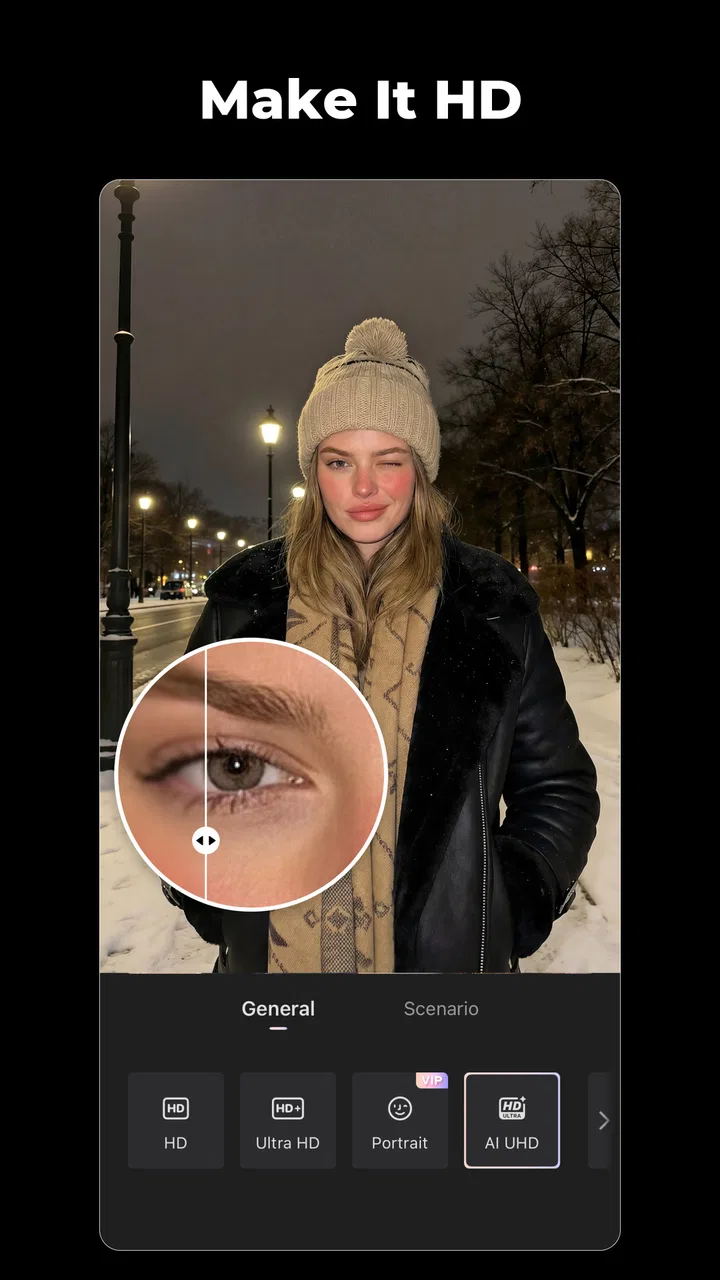
The app sits in the video players and editors category, but its personality is closer to a mobile beauty and enhancement studio than a traditional cut-and-assemble editor. The focus is not simply trimming footage. It is helping a clip look cleaner, brighter, smoother, or more stylized with tools that are designed for quick visual decisions.
You May Also Like

 AccuWeather: Weather Radar
AccuWeather Review: A Quick, Clear Forecast for Everyday Decisions
For everyday plans, the best forecast is the one you can understand quickly. AccuWeather makes rain timing, radar, and local conditions easy to act on, with a few trade-offs.

 Hill Climb Racing
Why Hill Climb Racing Still Turns Crashes Into One More Run
A tiny car, a bumpy hill and one more upgrade: Hill Climb Racing keeps resurfacing because its simple chaos makes every near-miss feel personal.

 AliExpress - Shopping App
AliExpress Makes Global Shopping Feel Personal, but Shoppers Bear the Risk
AliExpress turns a global marketplace into a pocket-sized discovery engine. Its reach is useful, its shopping loop compelling, and its trade-offs easy to miss.

 Lords Mobile: Kingdom Wars
Lords Mobile Is a Kingdom-Building Routine, Not a Quick Match
A case-by-case verdict on the building, battles, device demands, and social commitments that make Lords Mobile rewarding for some players and exhausting for others.

 PDF Scanner app - TapScanner
TapScanner Makes Paperwork Easier to Capture, Check, and Share
TapScanner makes scanning with a phone feel less like a rescue operation and more like a dependable step in getting work done. Its capture tools are useful, though not flawless.

 Block Blast!
 Shows How Much a Puzzle Game Can Leave Out
A quiet grid game shows why puzzle players increasingly value instant clarity, repeatable skill and low-pressure play—and where the genre still needs to catch up.
More From Our News Desk
View All News


That makes the first few minutes fairly approachable. I can start with a video from the phone, explore enhancement options, and then move toward retouching or effects without having to build a complicated project structure. The experience suits someone editing a selfie video, a short travel clip, a dance recording, or a product demonstration for social media.
The current Android release is version 3.0.5, and it runs on Android 8.0 or later. Those requirements make it accessible on a broad range of devices, although the final experience still depends on the phone’s processing power, storage, and the resolution of the source video. AI-heavy editing is naturally more comfortable on a recent device than on older hardware.
Wink is free to install, which makes testing the workflow easy. There are in-app purchases ranging from $0.99 to $79.99 per item, so I would not treat every visible tool as part of the no-cost experience. The important question is not only whether the app opens for free, but whether the particular enhancement or retouching feature you want is available without an upgrade.
The app carries a Teen content rating. That feels consistent with its audience: people making personal videos, appearance-focused edits, and social content rather than a tool designed specifically for young children. I would still encourage anyone sharing edited portraits to think carefully about consent and expectations, especially when retouching changes someone’s face or body.
What the current toolset is good at
In my use, Wink works best when the original footage is already reasonably usable. A dim clip, a slightly soft portrait, or a video with distracting visual noise can benefit from a careful pass. The app can make the result feel more deliberate without requiring me to understand color curves, masking, or keyframes.
The most useful workflow is restrained enhancement first, followed by selective retouching. When I apply every available effect immediately, the result can become artificial. When I correct the overall appearance and then use one or two targeted adjustments, the clip tends to retain more of its original character.
This is one of the app’s less obvious lessons: AI editing is not automatically better at maximum strength. I get more believable results by treating the strongest settings as starting points, then reducing them. That approach is particularly important for skin detail, facial shape, and sharpening, where small changes are easier to miss while editing but obvious once the video is shared.
For short videos, the app’s speed is more valuable than exhaustive control. I can prepare a clip for a message, a social post, or a personal archive without opening a desktop editor. That is the central reason to choose Wink over a more technical application.
How it fits beside ordinary mobile editors
Compared with a conventional mobile editor, Wink places more emphasis on appearance correction and AI-assisted styling. A standard editor may be better for arranging several clips, adding carefully timed captions, balancing audio, or building a story from many shots. Wink is more compelling when the main question is, “How can I make this particular person or scene look better?”
Compared with a dedicated beauty camera, it has a different advantage: I can work on footage that has already been recorded. That matters when a moment was captured quickly and I did not have time to prepare the camera settings. I can revisit the clip afterward rather than depending entirely on live filters.
Compared with a desktop editor, the trade-off is obvious. Wink is faster to approach and easier to use casually, but it does not replace the precision of a full timeline, detailed sound mixing, or advanced compositing workflow. I would choose it for a quick portrait edit and a desktop application for a multi-scene project with exact timing requirements.
What changed, and what that means for users
The move to the 3.0.5 version is useful context for anyone deciding whether to install the app today. It shows that the product has reached a mature version line rather than remaining at an early experimental release. I would read that as a sign that the developers are continuing to maintain the editing experience, but I would not assume that a version number alone guarantees a particular new feature or a dramatic redesign.
The developer is Meitu (China) Limited, a name associated with visual editing products, and Wink reflects that background through its concentration on portraits, retouching, and effects. The app’s store summary highlights AI art, effects, and retouching, but the practical value comes from how selectively those ideas are used. The tools are most helpful when they solve a visible problem in the footage rather than simply adding decoration.
For existing users, a current version can matter in less obvious ways than a headline feature. Compatibility with newer phones, smoother handling of modern video files, and continued access to a maintained interface can all affect whether an editing routine remains comfortable. I would update before judging the app’s performance, particularly if an older installation feels unstable or lacks options shown in current screens.
At the same time, I would keep my expectations realistic. A newer release does not change the basic identity of Wink. It remains a quick, appearance-focused editor, not a complete professional production environment. Users who originally liked its straightforward enhancement tools will probably understand the direction. People hoping for a deep, traditional editing suite may still find the same fundamental limitation: convenience comes before granular control.
A realistic everyday workflow
Imagine recording a short birthday message indoors. The room is slightly dark, the phone has softened facial detail, and the background contains a few distractions. I would import the clip, begin with a modest enhancement, check whether the face still looks natural, and then apply only the retouching needed to reduce obvious distractions. After that, I would preview the entire video rather than judging a single frame.
That last step is important. A face can look acceptable in a still preview but appear to change subtly as the person turns or speaks. I recommend watching the clip from beginning to end before exporting, paying attention to edges around hair, glasses, and the jawline. If the effect appears to follow the subject inconsistently, lowering its intensity is usually wiser than adding another filter.
For a travel clip, I would take a different approach. I would prioritize overall clarity and color balance, then use effects sparingly so the scenery remains believable. For a product video, I would avoid aggressive facial-style retouching altogether and concentrate on making the object readable. Wink is flexible enough for these situations, but the best result comes from matching the tool to the footage instead of applying the same recipe every time.
Where the app still creates friction
The biggest limitation is the gap between an attractive preview and a dependable final result. Automated enhancement can make a subject look cleaner, but it may also remove texture that viewers expect to see. On faces, over-processing can flatten skin, alter recognizable features, or create a polished appearance that no longer matches the original lighting.
There is also a learning curve hidden beneath the friendly interface. The buttons may be easy to discover, yet deciding how much correction is appropriate requires judgment. New users can easily mistake a stronger effect for a better effect. I would advise saving an unedited original and comparing the finished version beside it, not just relying on the enhanced preview.
Another consideration is cost. Because the app is free to start but includes paid items, I would identify the tools I actually need before building a workflow around them. Someone who only wants basic experimentation may be satisfied without spending money. A frequent creator who depends on premium enhancement or retouching options should consider the cumulative cost rather than judging a single inexpensive purchase in isolation.
Performance can also become a practical issue with long or high-resolution clips. Even when the app supports the source file, processing and exporting may take patience on less powerful phones. I would edit shorter sections when possible, keep enough free storage for temporary files, and avoid judging the app solely from one demanding project.
Who should use Wink, and who should skip it
I think Wink is a strong match for casual creators, portrait-video users, and anyone who wants to improve a clip directly on a phone. It is especially suitable when the finished video needs to look presentable quickly rather than meet a professional post-production standard. The combination of enhancement, effects, and retouching gives it a clear identity beyond basic trimming.
I would also recommend it to users who dislike the intimidating layout of traditional editors. The app makes more sense when the creative goal is visual improvement rather than constructing a complex sequence. If you often record yourself for social media, its retouching focus may save time compared with manually correcting every clip in a general editor.
I would skip it, or use it only as a secondary tool, if your priorities are exact audio synchronization, detailed subtitle placement, extensive multi-track editing, or natural documentary-style correction. A conventional timeline editor will usually be the better choice for those needs. I would also avoid relying on Wink as the only tool for professional client work until I had tested the exact source formats, processing time, and export quality on my own device.
The app has earned a 4.5 average from over 800 thousand ratings and has passed 10 million installs, which suggests broad interest and a substantial user base. Those figures do not replace personal testing, but they do make Wink feel like an established option rather than an obscure experiment. Its review volume is around 1.5 thousand, so I would pay more attention to hands-on behavior than to popularity alone when deciding whether it fits a specific workflow.
Practical advice before committing to a workflow
My first tip is to duplicate important footage before editing. Enhancement tools are designed to change the appearance of the source, and keeping the original gives me a safe reference for judging whether the result is genuinely improved. This is especially useful when experimenting with facial retouching, where the difference between correction and distortion can be subtle.
My second tip is to test one representative clip before purchasing anything. Choose the kind of video you edit most often: an indoor portrait, a moving selfie, a landscape, or a product shot. Try the relevant tools, preview the full sequence, and check whether the result matches your taste. A feature that looks impressive on a still frame may not suit movement.
My third tip is to separate correction from style. I first try to make the image clearer and more balanced, then decide whether it needs an artistic effect. Mixing both steps immediately makes it harder to tell what helped. This two-stage approach also makes Wink easier to compare with a normal editor, because I can see whether the improvement came from enhancement or simply from a dramatic filter.
My fourth tip is to judge skin and edges at different moments in the video. Pause when the subject turns, smiles, or moves close to the camera. Watch hairlines, glasses, hands, and patterned clothing. These areas reveal whether an automated adjustment is stable. If a setting looks excellent only in the opening frame, it is not the right setting for the whole clip.
What I would watch next
For future updates, I would look for improvements that make the current concept more reliable rather than simply adding more effects. Better consistency across moving faces, clearer control over enhancement strength, and a smoother path between retouching and ordinary editing would make the app more useful in real projects.
I would also watch how the balance between free tools and in-app purchases develops. A free entry point is valuable because it lets people test the visual style, but users need a clear understanding of which parts of their regular workflow require payment. The more often someone edits, the more important that transparency becomes.
My overall view is positive but selective. Wink is not the app I would open for every video, and I would not confuse AI polish with professional finishing. Still, it offers a convenient way to improve portraits and short clips on a phone, especially when time and simplicity matter more than complete manual control. With the current version, its direction is clear: quick visual enhancement, expressive effects, and retouching in an accessible package.
My recommendation is to try Wink with one ordinary, imperfect clip rather than a carefully prepared showcase video. That test will tell you more than a polished demonstration. If you like the result after reducing the strongest effects and watching the entire export, the app can become a useful part of your mobile editing routine. If you need precision, natural texture, or a complex timeline, keep a traditional editor nearby and treat Wink as an optional enhancement step.
FAQs for Wink: Video Enhancer & Editor
01What features does Wink: Video Enhancer & Editor offer?
Wink: Video Enhancer & Editor provides a comprehensive suite of tools for video enhancement and editing. Users can adjust video brightness, contrast, and saturation, apply filters, add music, and trim clips. The app also supports HD video export, ensuring your creations maintain high quality across platforms.
02Is Wink: Video Enhancer & Editor free to use?
Wink offers both free and premium versions. The free version provides basic editing tools, while the premium subscription unlocks advanced features and removes ads. This allows users to access a wider range of creative tools and export options, making it suitable for both casual users and professionals.
03How user-friendly is Wink: Video Enhancer & Editor for beginners?
Wink is designed with an intuitive interface that makes it accessible for beginners. The app offers helpful tutorials and tips, guiding new users through the editing process. Its drag-and-drop functionality and clear tool icons simplify the editing experience, ensuring users can easily create polished videos.
04Does Wink: Video Enhancer & Editor support all video formats?
Wink supports a wide range of video formats, including MP4, MOV, AVI, and more. This compatibility ensures users can easily import and export videos without worrying about format restrictions. However, it’s always a good idea to check the app’s specifications for any specific format limitations.
05Can Wink: Video Enhancer & Editor be used offline?
Wink can be used offline for most editing features, allowing users to work on their projects without an internet connection. However, some functionalities, like downloading additional resources or cloud storage access, require an internet connection. Users can edit and save videos locally without any issues.
Pros
- Intuitive interface; easy to navigate.
- Wide range of editing tools available.
- High-quality video enhancement features.
- Supports multiple video formats.
- Regular updates with new features.
Cons
- Requires premium for advanced features.
- Occasional app crashes reported.
- High memory usage on older devices.
- Limited free export options.
- Ads in the free version can be intrusive.

Wink: Video Enhancer & Editor
Gallery